What to say
Yellide has no buttons. It lives inside Claude, so everything happens by asking. On the left is what you say; on the right is what happens.
Starting off
“What media files do I have on this Mac?”
It finds them itself and starts indexing.
“Keep going until the index is finished.”
The scan runs in the background; search works on whatever is already in.
“How far along is the scan?”
Counts, and what is left.
Finding something
“Find the cycling event.”
Searches captions and tags as well as names, folders, dates, camera and place.
“What did I shoot in March 2020?”
Dates come straight out of the files.
“Show me everything from the D610.”
Camera and lens are indexed too.
“Anything with bunting in it?”
Works once the pictures have been described, see below.
“Drone shots from Kerala.”
Place comes from GPS where the camera recorded it.
Seeing the pictures
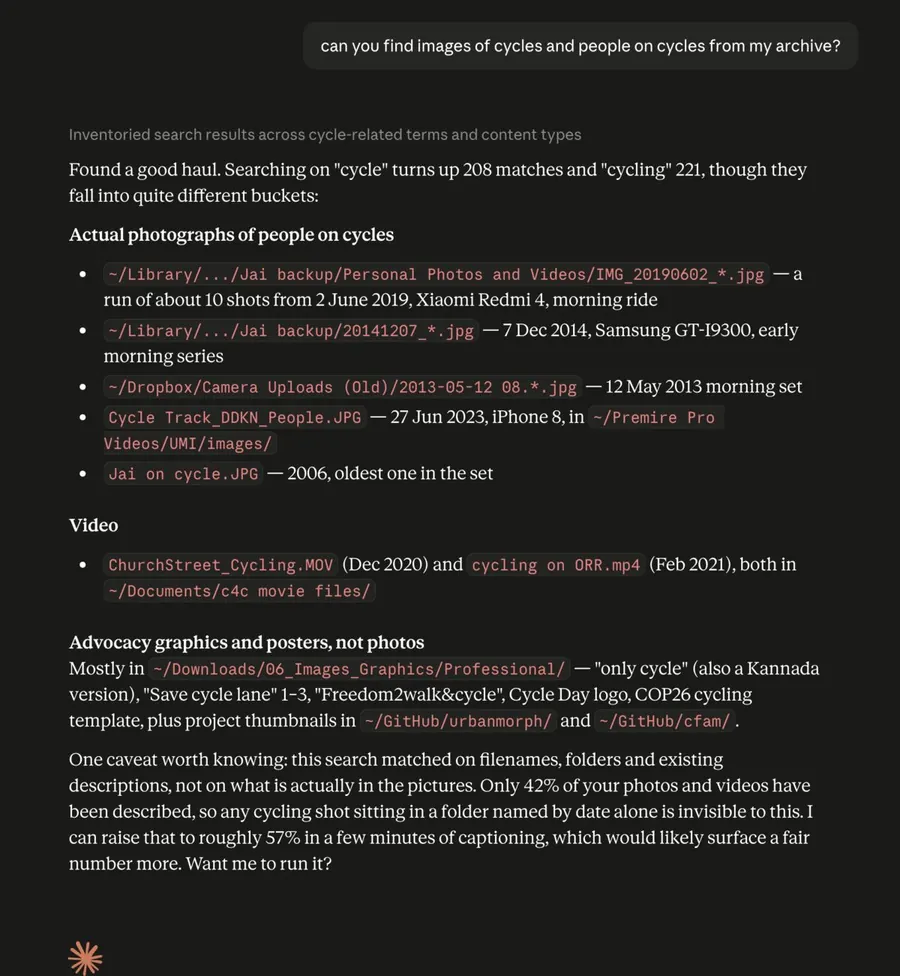
“Show me those.”
A contact sheet of the real frames opens in your browser.
“Let me see the cycling ones.”
Asking to see is not the same as asking it to look. Why.
Getting to the file
“Open that one.”
Opens it in Finder.
“Copy the path.”
Gives you the path to paste.
Making it searchable by what is in it
“Look at my photos and describe what is in them.”
Claude looks, and saves what it sees against the whole shoot.
“Keep describing until it is done.”
It is a loop and it will stop early unless told to continue.
“How much of my archive has been described?”
A percentage, and what a few more minutes would add.
Keeping things out of the index
“That one is an ID card, mark it private.”
Recorded by type only, never by contents, and redacted on export. Marking one copy marks every identical copy.
Drives that are not plugged in
“Where is that file?”
Names the drive and says plainly that it is not connected.
“Which drives do you know about?”
Everything it has ever indexed, and when it last saw each one.
Getting your index out
“Export my index.”
Plain JSON that needs no software to read.
When something is wrong
“Run Yellide diagnostics and show me the report.”
No filenames, paths, descriptions or search terms in it, safe to paste to whoever is helping you.
Shortcuts, if your app offers them
Yellide registers five ready-made requests, find, index,
describe, archive and diagnose. Where they appear depends
on the app; look in the + menu beside the message box. In Claude Desktop the
/ menu is for Skills, not for these.
If you cannot find them, ignore this. Typing the requests above works just as well and reads more naturally.
One thing not to do
Do not drag a media folder into the chat window. That tries to read every file into the conversation and will fail on a large folder. Yellide finds your folders itself, so there is nothing to attach.